GARATROPIC KONNEKT
Planning your Konnekt attendance connection
Plan how clock-in records reach HR. Use this guide to agree equipment checks, record review, operating costs and acceptance criteria for your installation.

Attendance preparation can involve collecting files from several machines, matching employee numbers and checking gaps before HR can use the records.
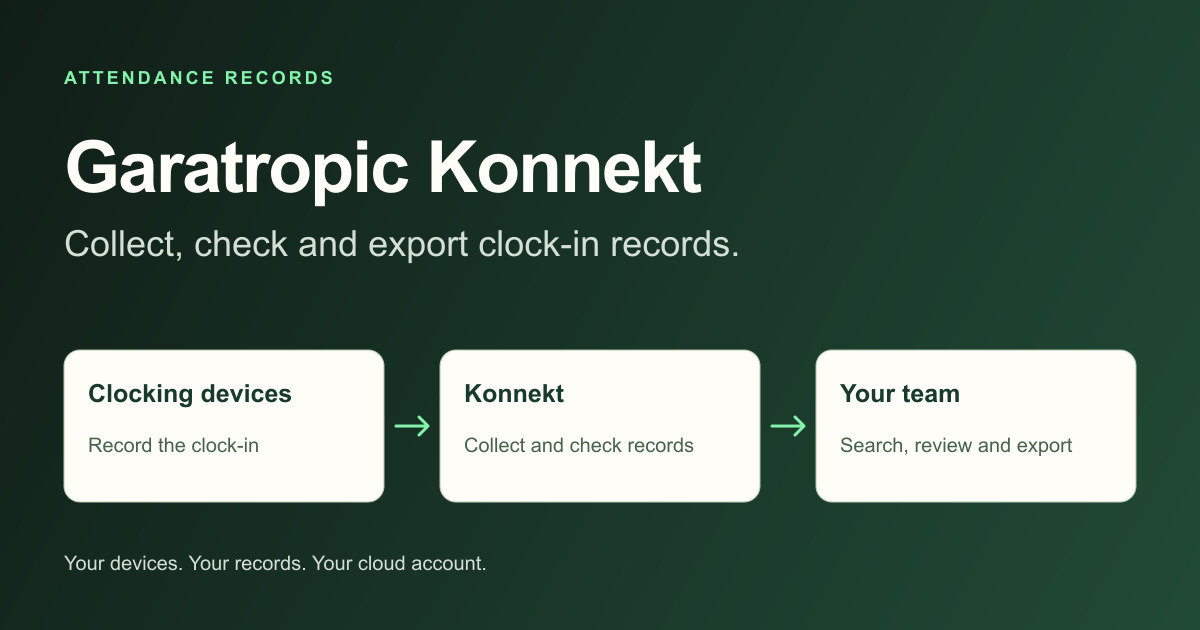
Garatropic Konnekt is designed to bring those clock-in records together for review and export. Its product page explains the workflow, equipment assessment and quoted installation model.
This guide helps your HR and operations leads agree the records, responsibilities and acceptance checks for an installation. Equipment compatibility and the final scope are confirmed through assessment and testing before an installation offer.
Agree what the installation should include
| Capability | What to agree for your team |
|---|---|
| Attendance collection | Clock-in records from the devices agreed in your installation scope. |
| Searchable records | A place to find employee clock-ins instead of collecting files from each site. |
| Employee-ID matching | Device numbers linked to the right employee, with unknown IDs sent for review. |
| Device synchronization status | Visibility of device contact and received records, separate from when the dashboard refreshed. |
| Reviewable failures | Missing information and failed processing kept visible for someone to resolve. |
| CSV export | Records your team can download, review and use in an agreed HR or payroll process. |
Your quote confirms the devices, sites, record fields, access roles and exports included. An ERP connection is a separate part of the scope. Konnekt's attendance scope covers clock-in records; your HR team keeps responsibility for attendance rules and pay decisions.
How we set it up for your business
- Check your devices and workflow. Tell us which clocking machines you use, how many sites send records and where HR needs the information. We verify the available device connection and software permissions before confirming scope and price.
- Install and test one connection. We set up Konnekt in your cloud account and run a pilot with your team. The checks include normal clock-ins, offline uploads, repeated transfers, employee matching and access permissions.
- Reconcile and hand over. Compare the records at the device with what Konnekt received. Resolve gaps, agree who handles exceptions and receive instructions, recovery steps and written support terms.
Start with one site or device group, then expand once the agreed checks pass. You do not need to prepare a technical brief; we can work through the connection options with you.
What happens when a clocking machine goes offline?
The installation must account for the terminal's own storage and upload behavior. We check those on your exact model and device software version, also called firmware.
In a fictional field-team example near Naivasha, an employee clocks in at 07:42 East Africa Time. Internet access returns at 09:10. The record must still show 07:42 as the clock-in time; 09:10 is when the receiving system obtained it.
The pilot checks that:
- the device retains records during the agreed offline period and its storage limits are understood;
- saved records upload after reconnection, keeping their original times and device identity;
- accepted records are saved before receipt is confirmed, so a restart does not lose an acknowledged upload;
- repeated uploads are recognized without removing genuine separate clock-ins;
- missing records, unknown employee IDs and unresolved transfers remain available for review.
A recent device contact does not prove that every stored record arrived. Your team should be able to distinguish the last device contact, the latest received clock-in, whether the expected backlog is complete, and the dashboard's last refresh. Where completeness is uncertain, it needs review.
Clock-in records, attendance and payroll are different steps
A clock-in records an event at a device. Attendance applies your shift, break, leave and correction rules. Payroll uses approved attendance and your pay rules.
Konnekt's collection and export give HR the records to review. A missing upload should not become an automatic absence, and an uncertain employee match should not be guessed. Agree who resolves a missed clock-in, an incorrect device clock or a disputed record before it affects attendance or pay.
Central fingerprint-template storage, door control and payroll calculation are outside this attendance scope.
Can you use your existing clocking machines?
Send us the make and model, plus the firmware version if you have it. We check how records can be accessed, secure connectivity, local storage, network options and any vendor charges. Some installations need a local gateway: a small computer at the site that forwards records securely.
For example, ZKTeco's S922 specifications list ADMS server communication and distinguish standard from optional network connections. The actual unit still needs checking against the proposed installation. A model name alone does not establish compatibility.
Our device assessment examples also cover other attendance and security equipment. Custom sensor hardware and other device integrations are separately scoped services.
Adding an ERPNext connection
You can start with Konnekt record access and CSV exports, then add authorized delivery to ERPNext as a separate integration project.
We check your installed ERPNext and Frappe HR versions, employee-ID mapping, time rules and permission to create Employee Checkin records. Read-only access is sufficient for viewing information, but creating check-ins requires write permission.
Frappe HR's biometric integration documentation explains storing punches in Employee Checkin, followed by attendance processing using configured shifts and rules. Your integration scope must also define retries, duplicate handling and how accepted records are reconciled.
Test the connection in an approved environment before live delivery. A read-only investigation or migration copy remains outside write integrations.
Licence, hosting and ongoing costs
The installation model uses your own cloud account, with one isolated installation for your business. Your team controls administrator access and agreed record exports. Hosting location, backup location and support access are confirmed during setup.
| Quote item | What it covers |
|---|---|
| Perpetual installation licence | Continued use of the purchased Konnekt version for the agreed installation. |
| Setup | Device checks, installation, the agreed pilot and handover. |
| Hosting | Your cloud provider's ongoing charges, separate from the software licence. |
| Future updates | Later versions or changes purchased under a separate agreement. |
| Optional support | The agreed assistance, responsibilities and response arrangements. |
| ERP or other connections | A separately defined integration scope and price. |
A perpetual licence does not include every future update or ongoing operations. Name who monitors failed records, maintains the installation, rotates credentials, checks backups and carries out restoration. Record these responsibilities before handover.
Protect employee records and test the handover
Keep employee access limited to what each role needs. Agree the purpose, retention period, correction process and who can use exported files. Clock-in records and centrally stored fingerprint templates are different data; confirm exactly what the device sends and retain only the approved information.
Use the ODPC's Guidance Note on Biometric Data when reviewing employee-data handling. Customer hosting alone does not establish Kenyan data residency or compliance.
Before accepting the installation, check a defined sample period with your HR or operations lead:
- Records agree: compare device records, Konnekt's view and the export, including original times and employee matches.
- Offline recovery works: interrupt connectivity, restore it and reconcile the saved records, including repeat uploads and genuine separate clock-ins.
- Failures remain visible: try an unknown employee ID and a receiver outage, then verify review and recovery.
- Access is controlled: authorized roles can use the agreed records and exports; unauthorized access is blocked.
- Restoration is demonstrated: recover records, mappings and unfinished work in a separate test installation without repeating completed transfers.
Optional implementation notes: device communication and hosting
Your installer verifies the actual device protocol, secure connection and acknowledgement behavior using authorized vendor documentation. Where ADMS is available, its exact features depend on the model and firmware. If Railway is selected, check the terminal or gateway against Railway's public networking requirements. Keep detailed device settings and recovery procedures in the installation's operating guide.
Request a Konnekt quote
Tell us which clocking machines you use, how many sites need records and which HR, payroll or ERP system should receive them. We will check the connection and propose an installation scope with licence, setup and ongoing costs separated.
Request a Konnekt quote. Your first conversation is free, and we reply within two business days.
Official references
References checked on 16 November 2026. The installation checks the actual device, firmware and software versions used by your business.