RECEIPT MANAGEMENT
How to find duplicate receipt records before month-end
Find possible duplicate receipt records using matching details and source checks without deleting legitimate repeat purchases by mistake.

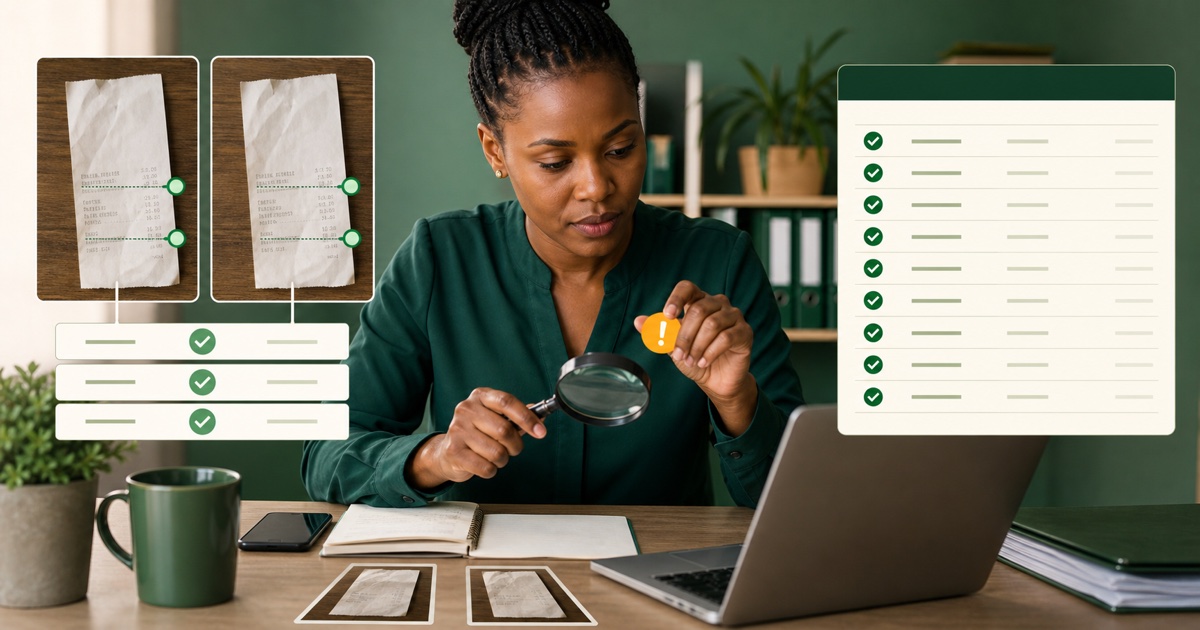
The same fuel receipt is photographed by the driver and later scanned by the administrator. A supplier PDF arrives by email, then someone uploads a screenshot of the same document from WhatsApp. Two employees buy similar items from the same merchant on the same day.
These situations can produce records that look alike for very different reasons. Some are true duplicates. Others are separate legitimate purchases.
The tempting response is to sort by merchant, date and total, then delete one of every matching pair. Please do not do that. The safe approach is to use repeated details as a reason to investigate, then compare the source documents and business context before removing or merging anything.
I think of duplicate detection as a question, not a verdict. The spreadsheet can ask, “Do these belong together?” A person still has to answer.
Quick answer for a busy owner
- Start with repeated merchant, date, and total combinations.
- Compare invoice, ETR, transaction, and source-file details where available.
- Treat a match as a review signal, not proof of duplication.
- Check whether the purchases had different people, projects, vehicles, or times.
- Keep one approved source when the same receipt was submitted twice.
- Record the decision and reviewer.
- Improve collection channels if duplicates repeat every month.
Duplicate checking protects the handover, but it should never become an excuse to delete a purchase simply because it resembles another one.
Why duplicate receipts appear
Most duplicate records are created by the workflow rather than dishonesty. Common causes include:
- one receipt arriving through email and WhatsApp;
- a paper receipt being photographed by more than one person;
- an administrator reprocessing a file with an unclear status;
- original PDFs and screenshots being treated as different purchases;
- reviewed sources being copied back into the new-receipts folder; and
- two systems or employees preparing records from the same document.
A busy team may also make two genuine purchases from the same merchant for the same amount on one day. That is why matching three fields is not enough to make the final decision.
Step 1: Keep new and reviewed sources separate
The easiest duplicate to resolve is the one you prevent. Use clear status folders or labels:
01-new 02-reviewed 03-needs-attention
Move a source out of the new queue only after the record has been checked. Do not copy it into several employee folders without a clear master location.
If a receipt arrives through a second channel, compare it with the reviewed folder before processing it again. Mark the repeated submission so another person does not restart the same work.
The guide on organising business receipts in Kenya provides a complete folder and review structure.
Step 2: Build a possible-duplicate view
Use the reviewed receipt list or spreadsheet to look for combinations such as:
- same merchant, date, and total;
- same invoice number;
- same ETR serial or receipt identifiers;
- same transaction or payment reference;
- identical source file or image;
- same line items in the same quantities; and
- submissions from different channels with matching details.
The more specific fields that match, the stronger the reason to review. Some information may be missing or extracted incorrectly, so keep the source documents involved.
Snapsheet prepares standard KRA ETR and eTIMS receipt details and lets users filter or select records before export. The prepared fields can make repeated combinations easier to find, but a person must confirm whether the underlying sources describe the same purchase.
Step 3: Compare the source documents
Open the possible duplicates side by side. Check:
- Are the images or PDFs exactly the same document?
- Do the invoice and ETR details match?
- Are the date and time identical?
- Do the line items and quantities match?
- Is one source a screenshot or crop of the other?
- Does one image show information hidden in the other?
If the same receipt was submitted twice, choose the clearest approved source, retain the record required by your process, and document why the second item was treated as a duplicate.
Do not remove the second item only because the totals match. Continue to the business context.
Step 4: Check the purchase context
Ask whether the records relate to different:
- purchasers;
- vehicles;
- branches;
- customers or projects;
- delivery routes;
- payment methods; or
- purchase times.
For example, two drivers may each buy KSh 5,000 of fuel from the same station on the same day. The totals match, but the vehicle references and receipt times are different.
Conversely, one fuel receipt may appear in the driver's WhatsApp submission and again in a scanned month-end folder. The purchaser, vehicle, time, invoice, and source image all point to the same transaction.
Use confirmed business context, not assumptions about what “usually” happens.
Step 5: Reconcile against transaction records
Compare the possible duplicates with the relevant bank, card, cash, or mobile-money transaction list available to the business.
Two matching receipt records and one corresponding transaction strengthen the case for a duplicate, but still check timing, references, and the source. Two matching receipts and two corresponding payments may indicate separate purchases.
The transaction list is supporting evidence, not permission to invent missing receipt details or make an accounting decision. Ask the accountant when the evidence remains unclear.
Step 6: Record the duplicate decision
For every item removed, merged, or left unresolved, record:
- the two receipt references;
- fields that matched;
- sources compared;
- transaction evidence checked;
- business context confirmed;
- decision;
- reviewer; and
- date.
A short note may be enough:
Possible duplicate: R-104 and R-117 Matched: merchant, date, total, invoice number, and source image Decision: same receipt submitted through email and WhatsApp Kept: R-104 with original PDF Reviewed by: Amina, 28 August 2026
This protects the audit trail and stops the same question returning during accountant handover.
A practical weekly duplicate check
Add these five minutes to the weekly receipt block:
- Sort or filter by merchant, date, and total.
- Mark repeated combinations.
- Compare source documents.
- Check purchaser and transaction context.
- Record the decision or assign an exception.
Weekly review is easier because the purchaser can still remember the transaction and the original source is more likely to be available.
If possible duplicates remain unresolved, keep them on the exception list rather than silently deleting one. The accountant can then see the issue and decide what further evidence is needed.
Fix the cause, not only the spreadsheet
Count where duplicates come from. If most appear because receipts arrive through both email and WhatsApp, clarify the approved final location. If reviewed files return to the new queue, improve the folder status. If employees cannot tell whether a colleague submitted the source, assign one submitter per purchase or team.
Other useful controls include:
- one naming convention;
- one processor for each weekly batch;
- a reviewed status and reviewer name;
- clear ownership for branch or vehicle receipts; and
- a final duplicate check before export.
Do not create so many controls that staff stop submitting receipts. Solve the repeated source of duplication first.
What the owner should review
Owners can monitor the pattern rather than every comparison:
- How many possible duplicates were found?
- How many were confirmed?
- Which channels or teams created them?
- Were any legitimate purchases nearly removed?
- Are unresolved cases reaching the accountant clearly?
A good duplicate process does two things at once: it reduces repeated records and protects genuine purchases from being discarded without evidence.
That second part is easy to forget. Catching duplicates feels productive; proving that two similar purchases are genuinely different is just as valuable. The goal is a record you can explain, not the smallest possible spreadsheet.
For the next step, use the accountant handover guide to package the reviewed export, source documents, and remaining questions together.